

Table of Contents
Choosing a Secure and Reputable Platform
When venturing into cryptocurrency, the first and arguably most critical decision is selecting a secure and reputable platform. Coinbase has established itself as a leading exchange, largely due to its robust security framework and adherence to regulatory standards. Understanding these foundational protections is key to appreciating why many choose Coinbase for their crypto journey.
Coinbase operates with strict regulatory compliance across various jurisdictions. In the United States, for instance, it holds a BitLicense in New York and is registered as a Money Services Business (MSB) with FinCEN, complying with federal anti-money laundering (AML) regulations. Similar adherence to local laws is seen in the European Union, Canada, and Australia. This regulatory oversight provides a layer of trust and accountability that is often absent in less established platforms.
A cornerstone of Coinbase’s security strategy is its use of cold storage for the vast majority of user assets. We know that Coinbase stores around 98% of user assets in offline cold storage. This means these funds are kept in secure, physical locations, completely disconnected from the internet, making them virtually impervious to online hacking attempts. The remaining 2% held in “hot wallets” (online storage for liquidity) are protected by a crime insurance policy, although it’s crucial to understand that this insurance typically covers breaches of Coinbase’s systems, not individual account compromises due to user negligence, like phishing. For USD balances, Coinbase holds funds in pooled accounts at U.S. banks, which may be eligible for FDIC/NCUSIF pass-through insurance up to $250,000 per individual, but this does not apply to crypto assets themselves.
As a publicly traded company, Coinbase operates with a degree of financial transparency that offers additional reassurance. It publishes financial statements quarterly and undergoes annual audits, providing insights into its financial health and operational integrity. This transparency, combined with its commitment to holding customer assets 1:1 (meaning your crypto is always backed by actual assets and not lent out without permission), sets a high bar for trust in the crypto space.
What to Look For in a Crypto Exchange
When evaluating any crypto exchange, including Coinbase, we recommend looking for several key indicators of security and reliability:
- User Asset Protection: Prioritize exchanges that clearly state how they protect your assets, especially their cold storage practices. The statistic that Coinbase stores around 98% of user assets in offline cold storage is a strong indicator of their commitment to this.
- State-of-the-Art Encryption: Platforms should employ robust encryption standards. Coinbase, for example, uses AES-256 encryption for data and TLS to protect web traffic, mirroring security measures used by traditional financial institutions.
- Regular Security Audits: A commitment to continuous improvement means regular internal and external security audits, along with bug bounty programs that incentivize ethical hackers to find and report vulnerabilities. Coinbase’s Bug Bounty program is a testament to this proactive approach.
- Platform Transparency: Understanding an exchange’s regulatory compliance, financial reporting, and asset-holding policies (like 1:1 asset backing) is vital. This helps us gauge their overall trustworthiness and long-term viability.
Your Personal Security Checklist for buying bitcoin safely
While platforms like Coinbase implement extensive security measures, our personal actions as users are equally, if not more, important. Security in the digital field is a shared responsibility, and adopting a “defense in depth” strategy – layering multiple security controls – is paramount. This section outlines essential steps you can take to safeguard your Coinbase account and, by extension, your investments.

Mastering Password and Email Security
Your password is your first line of defense. A strong, unique password for your Coinbase account is non-negotiable. We recommend passwords that are:
- Long: At least 12-16 characters.
- Complex: A mix of uppercase and lowercase letters, numbers, and symbols.
- Unique: Never reuse passwords across different online services.
Rather than trying to remember all these complex passwords, we strongly recommend using a reputable password manager (e.g., 1Password, LastPass). These tools can generate strong, unique passwords for you and store them securely, simplifying your digital life while enhancing security. Coinbase itself provides feedback on password strength during signup, guiding you toward a more secure choice. You can also visit Coinbase’s Password FAQ for more insights.
Equally important is securing the email address associated with your Coinbase account. If an attacker gains access to your email, they can often initiate a password reset for your crypto exchange account, effectively bypassing many security measures.
- Check for Breaches: Use services like https://haveibeenpwned.com/ to see if your email has been compromised in past data breaches. If it has, change your password immediately.
- Enable 2FA on Email: Just as with Coinbase, enable two-factor authentication on your email account.
- Dedicated Email: Consider using a unique email address solely for your Coinbase account and other financial services. This minimizes exposure if other, less critical email accounts are compromised.
- Review Email Settings: Regularly check your email settings for any suspicious forwarding rules, filters, or unauthorized recovery contacts that attackers might have set up.
Implementing Robust Two-Factor Authentication (2FA)
Two-Factor Authentication (2FA), also known as 2-Step Verification (2SV), is a critical security layer that requires a second form of verification beyond just your password. Coinbase requires 2FA for all accounts and recommends enabling at least two methods. This significantly reduces the risk of unauthorized access, even if your password is stolen. You can learn more about 2SV in Coinbase’s FAQs.
Here’s a ranking of 2FA methods by security, from most to least secure:
- Hardware Security Keys: These are physical devices (like a YubiKey) that you plug into your computer or tap to your phone to verify your identity. They are considered the “gold standard” because they are phishing-resistant and require physical possession. Coinbase supports security keys and recommends them for improved security. Setting up a security key on Coinbase is straightforward via your security settings.
- Passkeys: Developed by Apple, Google, Microsoft, and the FIDO Alliance, passkeys use cryptography to generate a unique code, serving as a user-friendly and secure alternative to passwords. They are generated on your device and not stored on any server, making them highly resistant to phishing. You can set up passkeys in your Coinbase security settings.
- Authenticator Apps: Apps like Google Authenticator or Duo generate time-based one-time passwords (TOTP) directly on your mobile device. These codes refresh every 30-60 seconds and don’t rely on phone reception or internet once set up. This method is significantly more secure than SMS. You can find setup instructions in your Coinbase security settings.
- Coinbase Security Prompt: This method sends a push notification to your Coinbase mobile app, asking you to approve or deny a login attempt. It’s a convenient and more secure alternative to SMS, as it relies on the app rather than text messages. Set it up via your security settings.
- SMS/Text Messages: While better than no 2FA, SMS is the least secure method. It’s vulnerable to “SIM-swapping” or “phone porting” attacks, where attackers trick mobile carriers into transferring your phone number to a device they control, intercepting your 2FA codes. In March 2021, a flaw in SMS-based 2FA affected over 6,000 Coinbase users, with Coinbase reimbursing $25.1 million. This incident underscores the risks of relying solely on SMS for critical accounts. We strongly advise against using SMS as your primary 2FA method and recommend upgrading to a more secure option.
We also recommend requiring a 2FA code for all outbound transactions, not just logins, which can be configured in your security settings.
Best Practices for Buying Bitcoin Safely on Your Devices
The security of your Coinbase account is intrinsically linked to the security of the devices you use to access it.
- Keep Software Updated: Regularly update your operating system, web browser, and all applications. These updates often include critical security patches that protect against newly finded vulnerabilities.
- Antivirus Protection: Install and maintain reputable antivirus and anti-malware software on all your devices.
- Malware Awareness: Be vigilant against various forms of malware. Keyloggers can record your keystrokes, stealing passwords. Remote access trojans (RATs) can give attackers full control over your device. Cookie-stealing malware can hijack your active sessions.
- Securing Mobile Phones: Your phone is often the gateway to your crypto. Enable a strong screen lock (PIN, pattern, fingerprint, face ID). Implement carrier-level security measures like a “port freeze” or “SIM lock” to prevent unauthorized SIM swaps.
- Avoiding Public Wi-Fi: Public Wi-Fi networks are often unencrypted and can be easily intercepted by malicious actors. Avoid accessing your Coinbase account or conducting sensitive transactions when connected to public Wi-Fi.
Advanced Security Measures for Long-Term Holders
For those who view cryptocurrency as a long-term investment rather than a day-trading opportunity, Coinbase offers advanced security features designed to protect larger holdings against immediate threats. This involves understanding the difference between actively trading and simply holding, and leveraging tools that introduce friction to unauthorized withdrawals.
Using Platform-Specific Security Tools
Coinbase provides specialized features that add extra layers of security, particularly for withdrawals:
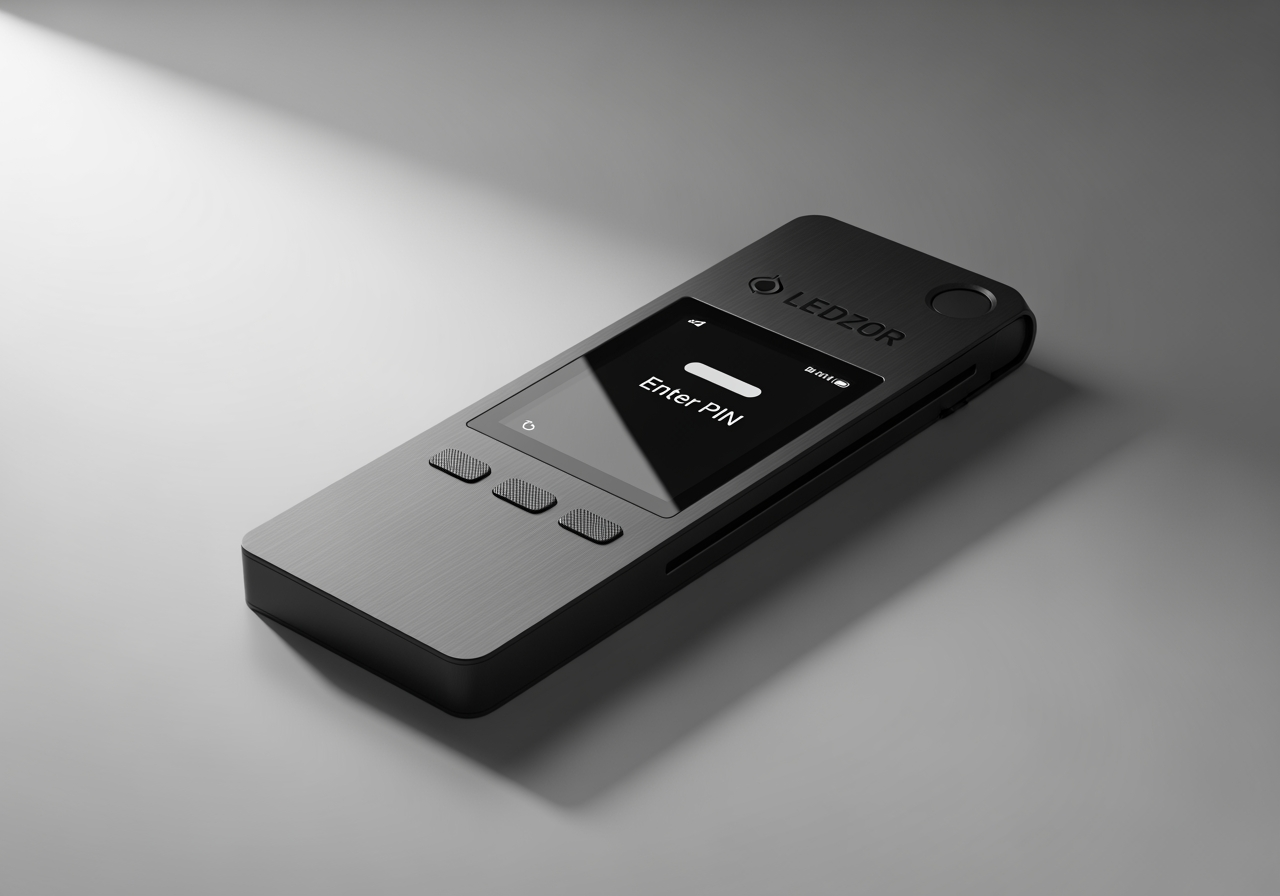
- Coinbase Vault: If you plan to hold a significant amount of cryptocurrency for an extended period, utilizing a Vault is highly recommended. Vaults require multi-email approval to initiate a withdrawal, meaning multiple authorized email addresses must approve the transaction. Furthermore, any withdrawal from a Vault has a mandatory 48-hour time delay. This delay provides a critical window during which you can cancel the withdrawal if it was initiated by an unauthorized party or if you change your mind. This feature is invaluable for preventing quick, unauthorized asset transfers.
- Address Whitelisting (Allowlisting): For users of Coinbase Pro (and similar features on the main Coinbase platform), Address Whitelisting allows you to create a predefined list of cryptocurrency addresses that are permitted to receive outbound transactions from your account. Once enabled, your account will only send funds to these whitelisted addresses. Any attempt to send funds to a new, non-whitelisted address will be blocked or subject to a 48-hour hold period for adding the new address, giving you time to review and approve. This significantly mitigates the risk of funds being sent to scam addresses if your account is compromised.
Understanding Self-Custody Wallets
While Coinbase exchange accounts offer robust security features, it’s important to understand the distinction between custodial and non-custodial solutions. A Coinbase exchange account is custodial, meaning Coinbase holds the private keys to your crypto on your behalf.
In contrast, a Coinbase Wallet is a self-custody (non-custodial) wallet. This means you, and only you, control your private keys and seed phrases.
- Private Keys: These are the cryptographic secrets that prove ownership of your cryptocurrency.
- Seed Phrases: A sequence of 12 or 24 words that acts as a human-readable backup of your private keys.
With a self-custody wallet, you have complete control over your assets, but also full responsibility for their security. If you lose your private keys or seed phrase, your funds are irretrievably lost. Coinbase cannot recover them for you. This approach is often summarized by the crypto adage: “Not your keys, not your coins.” For a complete walkthrough on managing your digital assets securely, see this guide to buying Bitcoin safely.
Coinbase Wallet itself employs security measures like Multi-Party Computation (MPC) technology to improve private key security, splitting key information across multiple parties to prevent a single point of failure. However, the ultimate security rests on how well you protect your seed phrase and device.
How to Spot and Avoid Common Crypto Scams
The cryptocurrency space, while innovative, is unfortunately a magnet for scammers. Social engineering and phishing attacks are rampant, designed to trick you into revealing your credentials or sending funds to malicious addresses. Recognizing these tactics is crucial for protecting your account.
The “Support Will Never Ask” Rule
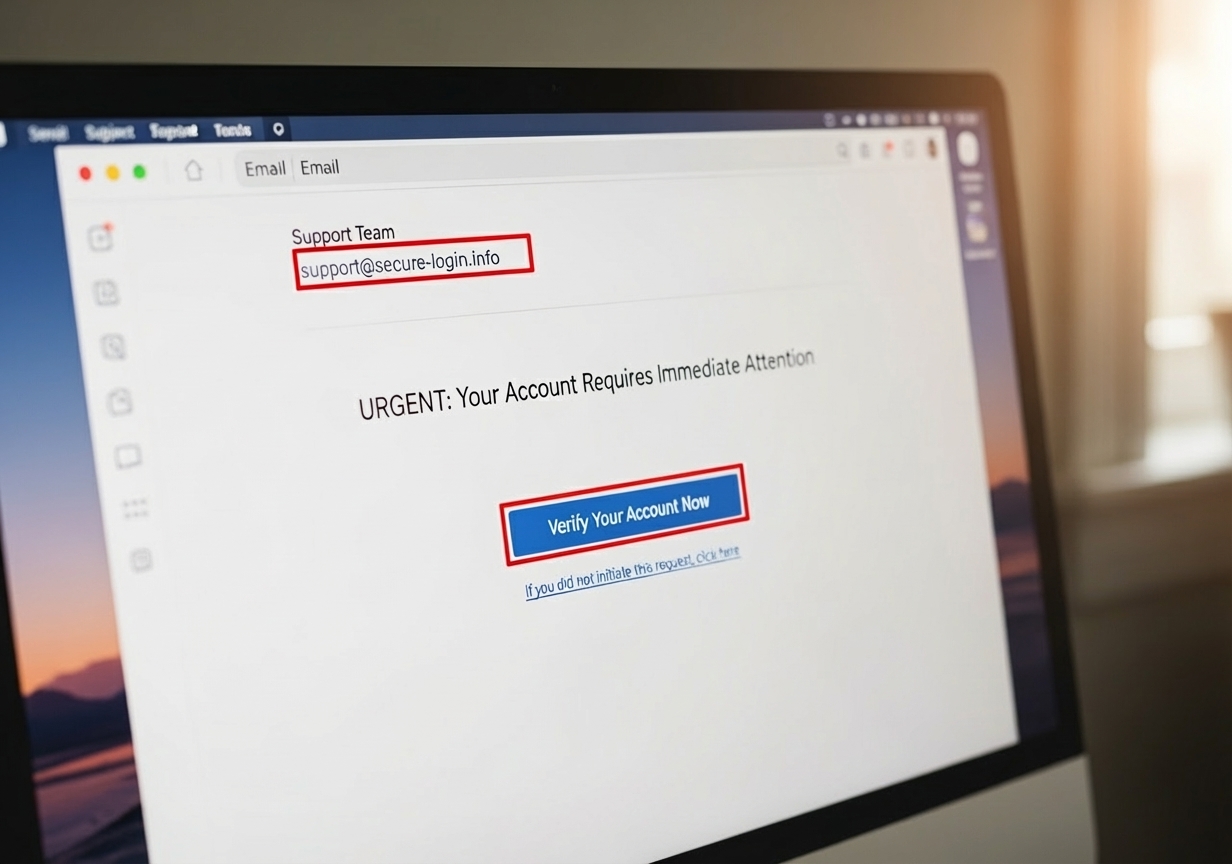
A fundamental principle to engrain in your mind is: Official Coinbase Support will NEVER ask you for your password, 2FA codes, or private keys. They will also never ask you to install remote access software on your computer or request that you send funds to “resolve” an account issue.
- Phishing Attempts: Be extremely wary of unsolicited emails, text messages, or social media direct messages claiming to be from Coinbase. These often contain urgent language, threats, or enticing offers designed to make you click on malicious links that lead to fake login pages. Always bookmark the official Coinbase website and only use that link to access your account. If you receive a suspicious message, forward it to security@coinbase.com for verification before taking any action.
- Impersonation Scams: Scammers frequently impersonate Coinbase employees or support staff on social media platforms or through fake phone calls. Coinbase staff will never call users directly for account support or troubleshooting. If you receive an unsolicited call or message, end the communication immediately and contact Coinbase through their official help center.
- Remote Access Scams: Never allow anyone claiming to be from Coinbase (or any other company) to install remote desktop software on your computer. This gives them full control of your device and access to all your sensitive information.
- “Fix Your Account” Scams: If anyone asks you to send cryptocurrency to a specific address to “open up” your account, “verify” your identity, or “fix” a problem, it is a scam. Legitimate support will never ask you to send funds in this manner.
Regularly check your account activity page on Coinbase. Here, you can review all active sessions, authorized mobile applications, and confirmed devices. If you notice any unfamiliar activity, revoke access immediately.
Frequently Asked Questions about Buying Bitcoin Safely
We understand that navigating the security landscape of cryptocurrency can raise many questions. Here, we address some of the most common concerns we hear from users.
What should I do if I think my account is compromised?
If you suspect your Coinbase account has been compromised, immediate action is crucial:
- Lock Your Account: If you can still log in, go to Coinbase.com and look for an option to immediately lock your account. This prevents further unauthorized activity.
- Change Passwords: Change your Coinbase password to a new, strong, and unique one. Crucially, also change the password for the email account associated with your Coinbase account.
- Upgrade 2FA: If possible, upgrade your 2FA method to a more secure option (e.g., from SMS to an authenticator app or security key).
- Contact Support: If you cannot log in or have locked your account, immediately contact Coinbase Support through their official channels. Explain the situation clearly, providing as much detail as possible about the suspicious activity. Report any unauthorized transactions with timestamps and transaction IDs to both Coinbase and, if applicable, local law enforcement.
Is it safer to keep Bitcoin on an exchange or in a personal wallet?
This is a classic debate in the crypto world, and the answer depends on your risk tolerance and technical proficiency:
- Keeping on an Exchange (Custodial):Pros: Convenience for trading, easy access, Coinbase’s institutional-grade security (cold storage, insurance for hot wallets).
- Cons: You don’t control the private keys (“not your keys, not your coins”). You’re exposed to the risk of exchange hacks (though rare for major exchanges like Coinbase) or regulatory actions. If your individual account is compromised due to phishing or weak security practices on your part, Coinbase’s insurance typically won’t cover your loss.
- Keeping in a Personal Wallet (Non-Custodial):Pros: You have full control over your private keys and funds. This eliminates counterparty risk (the risk that the exchange itself might be hacked or fail).
- Cons: Full responsibility for security. If you lose your private keys or seed phrase, your funds are gone forever. This requires careful management of backups and protection against malware on your own devices.
For small amounts actively being traded, an exchange might be convenient. For larger, long-term holdings, many experienced users prefer the improved control and security of a personal hardware wallet, moving funds off the exchange once purchased.
How much of my crypto is actually insured?
Understanding Coinbase’s insurance policies is vital, as it’s often misunderstood:
- USD Balances: As mentioned, any cash (USD) held in your Coinbase account is held in pooled accounts at U.S. banks and may be eligible for FDIC/NCUSIF pass-through insurance up to $250,000 per individual. This protects against the failure of the bank holding the funds, not against losses due to crypto market fluctuations.
- Cryptocurrency: Cryptocurrency itself is not covered by the FDIC or similar government-backed insurance. Coinbase does maintain a crime insurance policy that covers a portion of assets held in its online “hot wallets” against losses from theft or cybersecurity breaches of Coinbase’s systems.
- What’s NOT Covered: Crucially, this insurance generally does not cover losses that result from unauthorized access to your account due to your own compromised credentials, phishing attacks, SIM-swapping, or any other scenario where the fault lies with the user’s security practices. For example, if you fall victim to a phishing scam and an attacker empties your account, Coinbase’s insurance will likely not cover that loss. This reinforces the “shared responsibility” model of security.
Conclusion
Securing your Coinbase account is not merely a recommendation; it’s a fundamental requirement for anyone participating in the cryptocurrency ecosystem. As we’ve explored, while platforms like Coinbase deploy extensive, institutional-grade security measures – from cold storage and robust encryption to regulatory compliance and transparent operations – your active participation in maintaining security is equally vital.
We’ve seen that security is a shared responsibility. By understanding the primary security features Coinbase offers, implementing strong password and email hygiene, adopting robust 2FA methods (prioritizing security keys and authenticator apps over SMS), and safeguarding your devices, you build a formidable defense around your digital assets. Leveraging advanced platform-specific tools like the Coinbase Vault and Address Whitelisting further fortifies your holdings, especially for long-term investments. Finally, remaining vigilant against phishing and social engineering tactics and adhering to the “Support Will Never Ask” rule empowers you to sidestep the most common scams.
The world of cryptocurrency offers immense opportunities, but it demands vigilance and education. By taking these actionable steps, you empower yourself to steer this landscape with confidence, ensuring your first steps into crypto are secure ones. Your diligence today is your protection tomorrow.